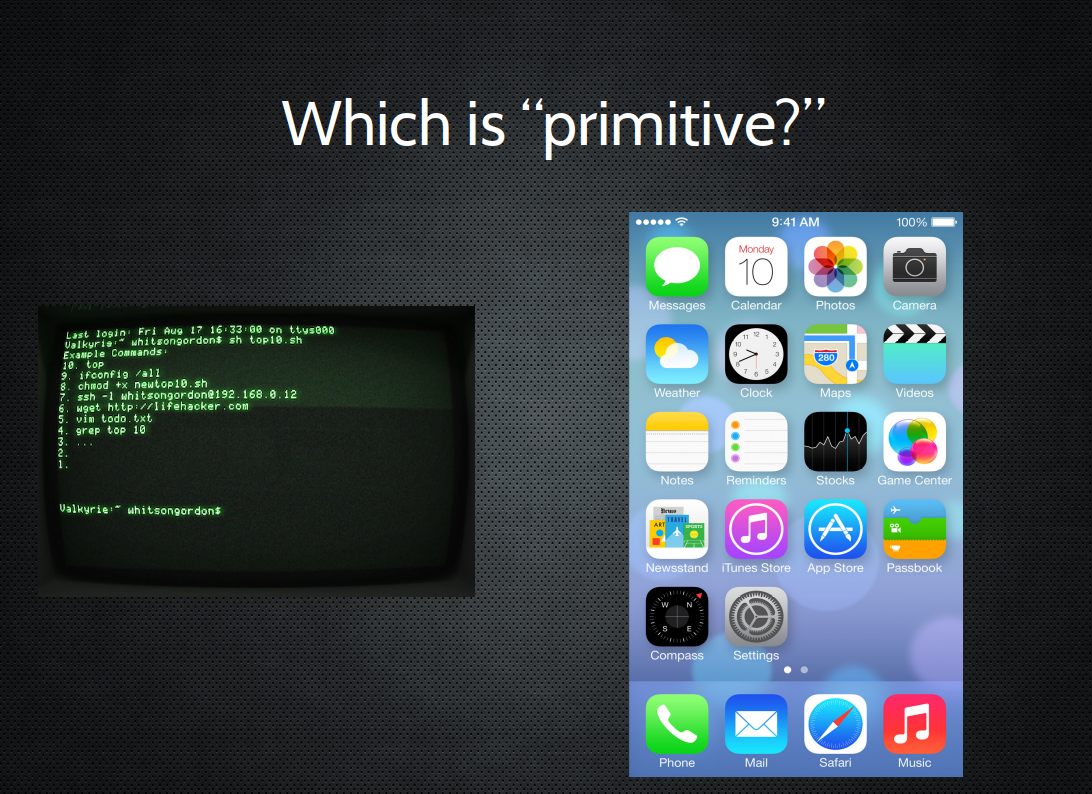
Why?
“Caveman interface.”
Pre-linguistic/animal-like
“Point and grunt”
(Tablets and even “Minority Report” are cool and fun...but why is Charades a game?)

Why Command Line
Because you can very quickly say/relate complex concepts in a concise way, by combining a series of simple symbols.
You know, like talking. Or writing.
Command line is the act of literally talking to the computer....unlike...
Intelligence requires Language
Buttons and gestures are frequently convenient for repetitive tasks...
...but to do anything intelligent,
you need LANGUAGE.
TEXT. Numbers and Letters.
Quick rant
Yes, I do think a *lot* of this UI/UX stuff is an enormous waste of time.
Especially since we have collectively "rediscovered" how good language can be,
in the form of Siri, Alexa et al.
Quick rant part deux
Big differences though, roughly:
Command line =
"Unfriendly, but a great deal of power and possibility through simplicity"
Siri /Alexa =
"Friendly, but very little power and lots of complexity, and it only lets you do like seven things" ☺
What is programming
(all computer languages are for humans!)
Changing your screensaver
Writer/Word
Calc/Excel
HTML/CSS
Bash
PHP/MYSQL/Javascript
Python/Perl/Ruby interpreted/scripted
C compiled
Assembly (00 4E A3 77 8C 0A etc)
What is coding anyway?
print “Hello world”;
and/or
for i = 1; i < 10; i = i + 1{
print “ the count is $i”
}
(as if you were starting from scratch)

But perhaps we should be doing .. scripting?
- how to find and download little linux programs
- how they all work on the command line
- how they all talk in/with text
- how to string them together to do useful things
Try to remember..
At a point in history, this was the ONLY
way to interact with the computer
AND
The "users" were the "programmers"
NO HAND HOLDING
Also — "The Unix Way"
- Write programs that do one thing and do it well.
- Write programs to work together.
- Write programs to handle text streams, because that is a universal interface.
The First Draft...
- Make each program do one thing well. To do a new job, build afresh rather than complicate old programs by adding new "features".
- Expect the output of every program to become the input to another, as yet unknown, program. Don't clutter output with extraneous information. Avoid stringently columnar or binary input formats. Don't insist on interactive input.
- Design and build software, even operating systems, to be tried early, ideally within weeks. Don't hesitate to throw away the clumsy parts and rebuild them.
- Use tools in preference to unskilled help to lighten a programming task, even if you have to detour to build the tools and expect to throw some of them out after you've finished using them.
Shell Scripting - Command line
That default thing that comes up on all the unixy-linuxy systems everywhere.
It’s a text interface. You type commands into it and the computer responds.
And it’s also a "programming" language. As in, you can type in more than one command in a row, save it to a file, and run the file. So, you know, "programming."
Names of things
- Command line: Blinky cursor area that's literally asking you, “okay, now what?”
- Terminal: App for command line (used to be the computer itself)
- Shell: Any particular “type” of command-line environment. Examples are Bash, Fish, Zsh, MS-Dos, etc.
- Bash: “Bourne Again Shell; the specific Linux/Unix shell we will use. (others are zsh, fish, powershell in windows)
- Scripting: Putting a bunch of shell commands in a file and running it as a program.
Fundamental ideas:
(ignore basic programming ideas like "objects" for now)
- EVERYTHING in the machine is a FILE or FOLDER.
- FILES are made of "TEXT" or "BINARY" * (or some combo-thing)
- SCRIPTING is using TEXT LANGUAGE to do things.
One way to divide ALL FILES
(open it in a text program like gedit or leafpad or notepad. Can you kind of read any of it?)
NOTE: Remember, frequently you can convert one to the other, e.g. ZIPs
More on "Text"
- The "lingua franca" of computers - you dig deep enough, this is where you get.
- formerly ASCII, now mostly "Unicode" (EMOJI!!)
- Most often "monospaced" (ugly, but with advantages)
- Where (sane) languages live
PROGRAMMING AND HOW TO SOUND SMART
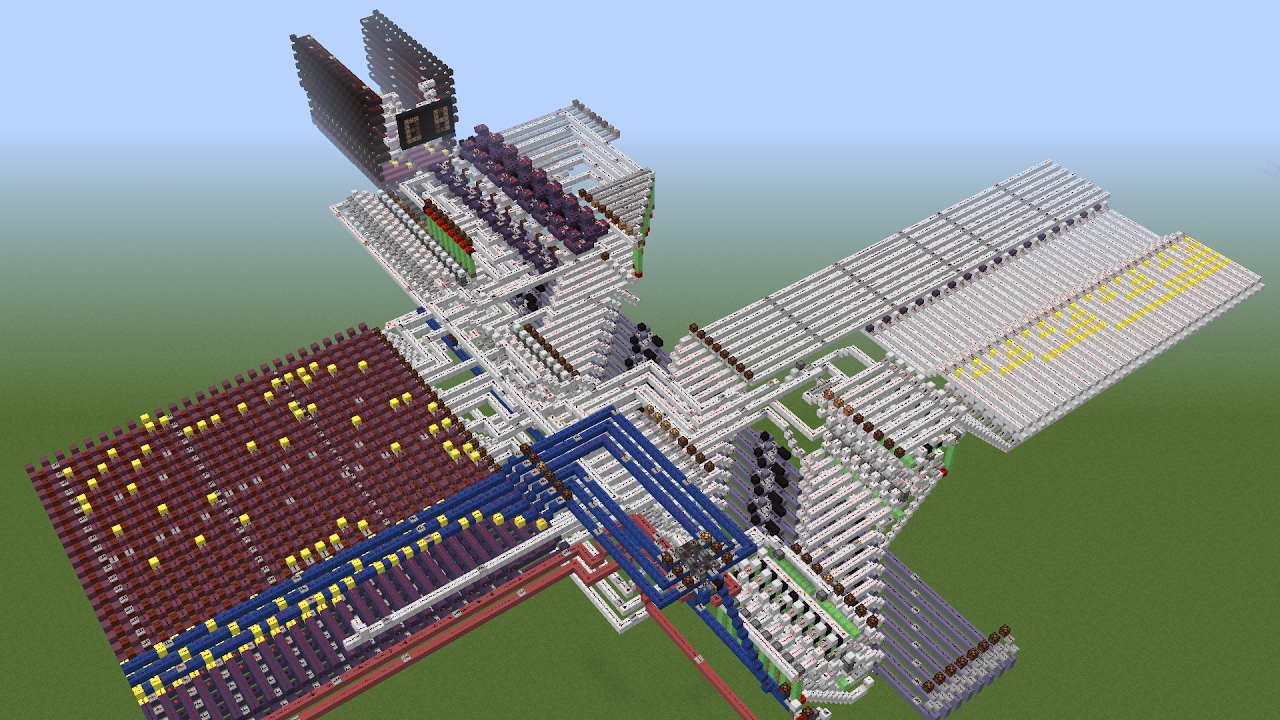
Nearly any (real) language CAN do what any other real language CAN do...
If you want to sound smart say:
Turing Machine or Turing Complete
and
Lambda Calculus
PROGRAMMING AND HOW TO SOUND SMART
Nearly any (real) language CAN do what any other real language CAN do...
PROGRAMMING AND HOW TO SOUND SMART
Nearly any (real) language CAN do what any other real language CAN do...

Users and Permissions..
..actually mean something today
ROOT – Like “Administrator” or maybe “God”
users – humans
(..and others – fake “users” to get tasks done)
Some systems (eg Ubuntu) allow for Super Users
S.U.- do “this” = sudo

Permissions
Three major things you can do with files
- READ (look at, view, listen to)
- WRITE (and delete and edit)
- EXECUTE (run as a program)
Three important “groups”
- owner of the file
- owner's group
- everybody else
Permissions for Directories
..are weird
- READ: Is able to read the directory listing
- WRITE: Is able to change contents of the directory
- EXECUTE: Is able to access/ go to the director
Practical Permission Problems
- If you're unable to view, execute, or delete/change a file, try this.
- If you write a little shell script (.sh), remember to set it executable. (The only permission command I use on a regular basis is chmod +x “file.sh”
- FAT and NTFS filesystems (the ones Windows use) don't have permissions, but Linux has to occasionally pretend they do, this causes problems.
- When you're taking a website online, this is often a difficult issue. (For a good reason; you don't want website visitors overwriting your critical files!)
Commands in theory
Any IMPERATIVE action the computer can do. Can be one word or more.
Ultimately, will be an ORDER, usually expressible as a VERB
Are VERY closely related to (if not identical) to FUNCTIONS/METHODS
"Computer! Do THIS!"
ls
Commands in theory
Since we're in the command line we are always acting on:
FILES and/or TEXT. These will be input and/or output.
if commands are VERBS, the FILES and TEXT are the nouns/objects
We call these expressions
(and of course, the TEXT can lead you to something else, like a FOLDER)
cat file.txt
echo "Hi there"
ls "/home/mine"
Nearly every command can act on either TEXT or FILES or BOTH.
Commands in Theory
We've talked VERBS and NOUNS. But we might want to modify the operation of things;
Think ADVERBS and/or ADJECTIVES:
On the command line, these are called options
two dashes + words (sort --reverse)
Getting Help
- man (command)
- info (might give you more info)
- apropos (keyword to search)
- help (pretty basic stuff)
but seriously, Google/Duckduckgo etc
File Manipulation
- ls - list
- cd – change directory
- rm –remove (delete for good)
- mv – move OR rename (they are literally the same thing, weird)
- cp - copy
Viewing Text and Files
cat - "Good" example of "efficiency" at the expense of "redundancy"
i.e. it means "concatenate" — which is to squish two files together and print to the screen. But it can also do it with just one file.
less - this is such a terribly bad joke I hate even explaning it
Let's slow down here,
because here is the power:
One way to describe cat - It "shows you the file"
BUT, let's be VERY precise here:
Cat TAKES A LINE OF TEXT (that refers to a file)..
and PRINTS IT ON THE SCREEN
TAKES A LINE OF TEXT = "Standard Input or stdin"
PRINTS IT ON THE SCREEN "Standard Output or stdout"
Pipes and Redirects
Default is to read from stdin, and write to stdout.
But by changing the default NOW YOU'RE PLAYING WITH POWER
- > (over)write/replace a file
- >> write to/append to file
- < read from file
- | pipe output from first command into 2nd
- tee pipe AND write to stdout
(interesting then , cat goes from FILE to TEXT, and > goes from TEXT to FILE )
BIG OVERARCHING POINT..
THAT'S MY OPINION
If it works and its clearer to you, don't let the supernerds tell you it's a bad idea e.g.
"Useless use of cat" IS FINE
BASH
BASH (Bourne Again) Shell - others are fish and zsh, etc
Lots of “tricks” are available here, eg
- Tab completion
- Up arrow key for history
- Ctrl-R to search history
and many MANY more
BASH
Furthermore, you can modify this environment to fit your needs, via:
.bashrc
(stuff here will be run everytime you open a terminal)
A great example is the “alias” command. If a command doesn't exist for what you want to do, just ,ake up your own!
alias modbash='nano ~/.bashrc'
Opening Files
COMMAND/ARGUMENT STYLE
- xdg-open file
- vim textfile
- firefox localfile.html
- firefox http://slashdot.org
GREP
searching text for matches
grep OPTIONS PATTERN (FILE)
Can search over FILES or STDIN
Also, can search ONE FILE or MANY (check -d or -R)
useful flags:
-i (case insensitive)
-v (invert search/show NON-matches)
-l (just show matching FILES, not lines)
(see also "ripgrep" or rg)
FIND
Searches directory tree rooted at given filename (default current)
Good if you also want to use parameters like “date”, “last accessed”, “size” and so forth.
Often used with -name or -iname
Also, consider “locate” (database must be setup beforehand)
This was just "searching"
but what if we want to change the text?
Remember, this is relatively easy and non-destructive by default; most of the time we're NOT changing the file in place, we're printing to stdout and optionally saving that output:
First, the granddaddies:
SED and AWK
You can do A LOT with these, they're basically languages in their own right. They're a little difficult, especially AWK.
SED
- Considered an entire language
- Usually used with “s” for substitution
- Delimiters are usually slashes but can be anything
echo “Good day” | sed 's/day/night/'
http://www.grymoire.com/Unix/Sed.html
http://sed.sourceforge.net/sed1line.txt
AWK
awk <search pattern> {<program actions>}
Also a text-processor, good for flat-file databases
Also, an entire language
awk ' /apples/ { print $2 “ “ $1 } '
tr
Transliterate, i.e.
CHANGE a character to another
(yes, this is how I did JOHN IS RAD)
tr [a-z] [A-Z]
cut
cut a string according to, e.g. fields
(this is my favorite. I just find it way more intuitive than awk/sed)
-f = which field or fields and optionally
-d = change the delimiter
e.g. to get the last name:
cut -f2 -d " "
-> ...combine with the following